
Your reverse osmosis system needs regular filter changes, leak checks, and testing to keep working well.
Use this RO maintenance schedule and cartridge replacement checklist to plan service. Follow your exact model’s manual for parts, dates, and procedures.
Why Regular RO Maintenance Matters
A typical five-stage system uses sediment and carbon filters, an RO membrane, and a carbon postfilter. Each stage has its own service needs.
Your owner’s manual lists:
- Which filter parts your system needs
- When each cartridge is due for replacement
- How to clean and sanitize the system
- How long to flush after a change
- Which performance checks to complete
A TDS test tracks dissolved solids, not every harmful substance. NSF/ANSI 58 covers TDS reduction and separate contaminant claims.
Also Read: Essential Maintenance Tasks for Your RO System
Reverse Osmosis Maintenance Schedule: What to Check and When
Use your model’s manual to set filter change dates. This table provides a routine inspection plan.
When | Maintenance task | What to do |
|---|---|---|
Each month | Leak check | Look for wet spots around housings, fittings, tubing, and the tank. |
Each month | Water flow check | Note any change in faucet flow or tank refill time. |
At each filter change | Housing and seal check | Clean housings as directed. Check O-rings for wear. |
Before planned service | Membrane performance test | Check TDS reduction using your model’s instructions. |
At the stated service date | Cartridge replacement | Install the approved filters for each stage. |
After service | Flushing and leak checks | Complete the manual’s restart steps before drinking the water. |
Filter Replacement Dates Depend on the Model
The AquaPro9 owner’s manual gives these expected service lives:
Component | Expected service life |
|---|---|
Sediment filters | 12 months |
Granular activated carbon filter | 12 months |
Inline carbon filters | 12 months |
Deionization filters | 12 months |
RO membrane | 24 months |
These dates apply only to AquaPro9. Actual life depends on feed water quality and use.
Keep a Filter Change Log
Record part numbers, change dates, next due dates, and test results.
Find parts by model in the WaterWorld USA replacement parts store.
What Affects How Long Your RO Filters Last?
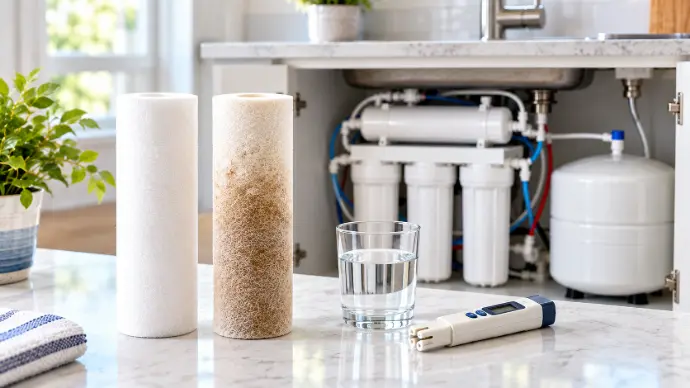
Feed water quality and daily use affect filter life. Follow your model’s service dates and capacity limits.
Feed Water Quality
Feed water is the water entering the system.
If it contains more particles or changes in appearance, ask whether the service schedule needs review. Clear treated water is not a reason to delay replacement.
Daily Water Use
Count water used for drinking, cooking, and connected refrigerators or ice makers.
Higher water use can affect cartridge life.
Cartridge Type and System Model
Sediment filters, carbon filters, membranes, and extra stages may have different replacement dates.
Membrane Test Results
Test TDS reduction before service to help decide whether the membrane needs changing.
Cartridge Replacement Checklist: Prepare Before You Start
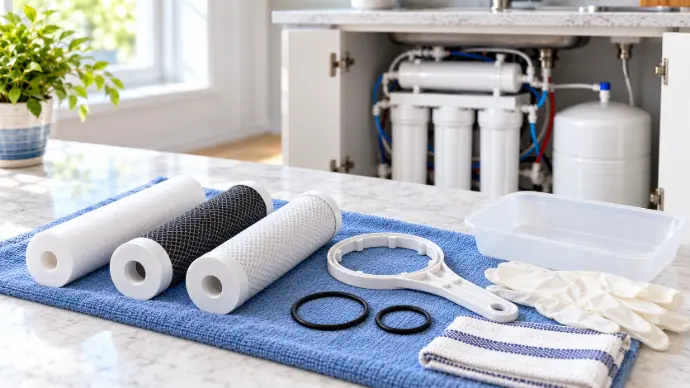
Gather the approved parts and supplies. Keep your manual open to the service steps.
1. Match the Filters to Your System
Check the model number and approved part number for each cartridge.
2. Gather Your Tools and Supplies
Prepare these supplies:
- Approved replacement cartridges
- Housing wrench, if required
- Bucket or tray and clean towels
- Mild soap, if approved for housing cleaning
- Correct O-rings and approved silicone lubricant
- Owner’s manual and filter change log
3. Record the Filter Order
Photograph labels and tubing. Note each filter’s stage and part number.
Keep new parts sealed until needed and place a tray beneath the unit.
4. Test Membrane Performance
Record TDS reduction before service, using the manual’s test method.
5. Shut Down and Release Pressure
Follow your model’s shutdown procedure. For the cited LCRO system:
- Turn off the feed water supply.
- Close the storage tank valve and valves feeding connected appliances.
- Open the dispensing faucet to release pressure.
Allow 2 to 3 minutes for pressure release on this model. Never open a housing under pressure.
How to Replace RO Filter Cartridges
With the water supply off and pressure released, you can begin replacing the cartridges. Screw-on housings and quick-change cartridges may use different methods.
1. Remove the Used Filters
Catch spills in a tray. Open each housing or release each cartridge as directed.
Remove used filters and keep track of the stage order.
2. Clean the Housings
Clean empty housings with mild soap and water where approved. Rinse away the soap.
Complete any extra cleaning or sanitizing steps in your manual.
3. Inspect the O-Rings
Replace worn or damaged O-rings with the correct parts.
Use approved silicone lubricant as directed and seat each seal properly.
4. Install the Correct Cartridges
Fit each cartridge in its correct stage. Close housings using the manual’s tightening method.
Do not overtighten. Excess force can crack housings and cause leaks.
5. Check the Inline Postfilter
Align the flow arrow with the water path. Reconnect fittings and tubing as directed.
6. Complete the Restart Steps
Restore the supply, complete the required flush, and check for leaks before drinking the water.
Log the new parts, service date, and next due dates.
How to Check Whether Your RO Membrane Needs Replacement
Use age and performance together when deciding whether to replace the RO membrane.
Measure Feed Water and Treated Water
Use a TDS meter to compare feed water with water leaving the membrane.
- Follow the manual’s flushing and sampling method.
- Measure feed water TDS.
- Measure RO water TDS at the specified point.
- Record both readings in parts per million (ppm).
If a later stage adds minerals, test at the specified point to assess the membrane alone.
Calculate the TDS Rejection Rate
TDS rejection rate (%) = [(Feed water TDS − RO water TDS) ÷ Feed water TDS] × 100
For example:
Reading | Result |
|---|---|
Feed water TDS | 300 ppm |
RO water TDS | 15 ppm |
TDS rejection rate | 95% |
Compare the Result With Your Model’s Limit
The LCRO manual calls for replacement below 90% TDS reduction. Use this limit only for the models it covers.
Know the Limits of a TDS Test
Low TDS does not prove water is free of germs or all contaminants. Use a suitable test for each specific concern.
How to Clean and Sanitize Your RO System
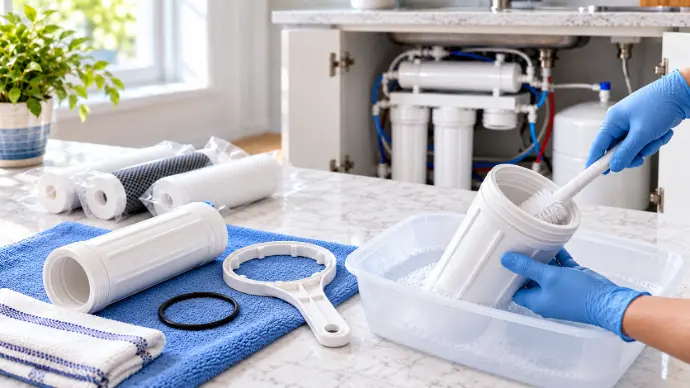
Cleaning removes dirt; sanitization helps control germs. Follow your model’s procedure for both.
Clean the Filter Housings During Replacement
Shut down and release pressure before removing filters.
Clean housings as directed, check seals, and use only approved lubricant.
Rinse off soap and keep clean parts separate from used cartridges.
Follow the Approved Sanitizing Method
Confirm these details before using a sanitizing solution:
- Filters and membrane parts to remove
- Approved product, dose, and contact time
- Rinsing and flushing procedure
Do not guess the dose or copy another system’s method. Ask your dealer if the manual doesn't include a procedure.
Include the Storage Tank, if Required
Check for separate storage tank instructions. Housing cleaning does not sanitize the tank.
Follow the stated draining, cleaning, and rinsing steps.
Rinse and Complete the Restart Checks
Finish rinsing and flushing before drinking. Check housings and fittings for leaks after restart.
For model-specific help, contact Waterworld USA.
RO Storage Tank, Tubing, and Leak Checks
Check the tank, tubing, and fittings during service. Skip tank checks on tankless units.
Inspect the Storage Tank
Look for damp spots around the valve and connections. Note reduced water delivery.
Low tank air pressure can reduce the water delivered.
Check Air Pressure With the Tank Empty
Drain the tank fully before checking air precharge with a suitable gauge.
AquaPro9 specifies 8 to 10 psi when empty. Use the setting for your exact model.
Ask your dealer if you're unsure of the correct pressure.
Check the Water Lines
Look for:
- Kinks or sharp bends
- Cracks or wear
- Wet fittings
- Tubing pinched by stored items
Inspect Seals and Connections
Loose fittings and missing O-rings can cause leaks.
Shut off the supply and release pressure before repair. Follow the manual.
Record tank pressure and repairs to help explain future changes in flow.
Common RO Problems and What to Check First
Check the cause before buying replacement parts.
Slow Water Production
Possible causes include:
- Low feed water pressure
- Crimped tubing
- Clogged prefilters
- A fouled membrane
Check tubing and filter dates first. If fitted, check the pump as directed.
Only a Small Amount of Water Comes From the Tank
Check the tank valve, filters, membrane, air pressure, and check valve.
Measure tank air pressure only when fully empty.
Water Tastes or Smells Different
Possible causes include depleted post-carbon, a fouled membrane, or sanitizer not flushed.
Check filter dates and flushing. Taste or smell alone cannot confirm water safety.
Water Runs to the Drain All the Time
Check the automatic shutoff valve, check valve, and tank pressure using your model’s guide.
No Water Flows to the Drain
A clogged flow restrictor may be the cause. Arrange a service check before replacing it.
RO Maintenance Mistakes to Avoid
Avoid these errors during cartridge replacement:
Using One Schedule for Every System
Use your model’s schedule, not a general date.
Buying Parts Without Checking the Model
Match approved part numbers, not size alone.
Unapproved parts can damage the system and affect warranty coverage.
Opening Housings Before Releasing Pressure
Shut off the supply and release pressure before opening housings.
Overtightening Filter Housings
Use the stated tightening method and seat O-rings correctly.
Installing an Inline Filter Backward
Check the inline postfilter’s flow arrow.
Guessing the Tank Pressure
Use the model’s specified setting with an empty tank.
Treating TDS as a Complete Safety Test
TDS measures dissolved solids, not all contaminants.
RO Maintenance Log and Cartridge Replacement Checklist
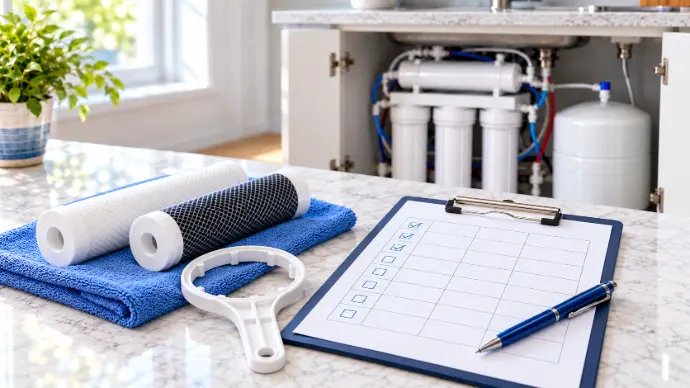
Keep this log with your manual. Record changes, tests, and repairs.
Track Each Filter’s Due Date
Set due dates from your model’s manual.
Part or task | Part number | Last service date | Next due date |
|---|---|---|---|
Sediment filter | _____ | _____ | _____ |
Carbon prefilter | _____ | _____ | _____ |
RO membrane | _____ | _____ | _____ |
Carbon postfilter | _____ | _____ | _____ |
Extra filter stage, if fitted | _____ | _____ | _____ |
System cleaning | Not applicable | _____ | _____ |
Tank check, if fitted | _____ | _____ | _____ |
Add a row for each extra cartridge.
Record Membrane Test Results
Record TDS readings to compare membrane performance over time.
Test date | Feed water TDS | RO water TDS | TDS rejection rate |
|---|---|---|---|
_____ | _____ ppm | _____ ppm | _____% |
_____ | _____ ppm | _____ ppm | _____% |
Use the same sample points and method. Keep separate lab reports with this log.
Complete the Replacement Checklist
Use this checklist alongside your manual:
- Confirm the system model and approved part numbers.
- Record membrane test results before service.
- Shut down the system and release pressure.
- Remove the used cartridges.
- Clean the housings as directed.
- Inspect and correctly seat the O-rings.
- Install each filter in the correct stage.
- Check the inline filter’s flow direction.
- Complete any required sanitizing and flushing steps.
- Check for leaks after restarting.
- Record the service date and set the next reminder.
Frequently Asked Questions About RO Maintenance
How Often Should I Replace My RO Filters?
Follow your exact model’s manual. For example, Waterworld USA’s AquaPro9 manual lists 12 months for several filter stages and 24 months for the membrane. It notes that water quality and use affect service life. These dates do not apply to every model.
Do All Cartridges Need Changing at Once?
Not always. Your sediment filters, carbon filters, and RO membrane may have different due dates. Check the parts list and replacement schedule for your system before ordering a kit.
How Can I Tell Whether the Membrane Needs Replacement?
Test TDS reduction as your manual directs. The cited Waterworld USA LCRO manual calls for replacement below 90% reduction. Use that limit only for the models covered by that manual.
Why Is My RO Water Flow Slow?
Possible causes include low feed pressure, crimped tubing, clogged prefilters, or a fouled membrane. Check the cause before buying parts.
Should I Check Tank Pressure While the Tank Is Full?
No. Check the air precharge when the tank is fully empty, following your model’s instructions. Use the pressure setting listed for your exact tank and system.
Can I Use Any Filter That Fits?
Match the cartridge to the approved part number. Waterworld USA warns that unapproved filters or membranes can damage the system and affect warranty coverage.
Does Low TDS Mean My Water Is Safe?
A low TDS reading does not confirm the absence of every harmful substance. NSF/ANSI 58 includes TDS reduction and separate claims for specific contaminants. Use a suitable test for the substance you need to check.